LIVOLO EC Smart Thermostat — warmth when you wake up, comfort when you come home
Stepping barefoot onto a warm floor in the morning. Coming home to a cosy space after being out in the cold. Adjusting the temperature without leaving the sofa. The LIVOLO EC smart thermostat makes these small everyday comforts part of your life.
It automatically controls your connected heating and maintains your chosen temperature. There is no need to switch the heating on each time, check whether it is getting too hot, or remember to adjust the settings before leaving home. Choose a comfortable temperature, create a schedule — and let the thermostat take care of it for you.
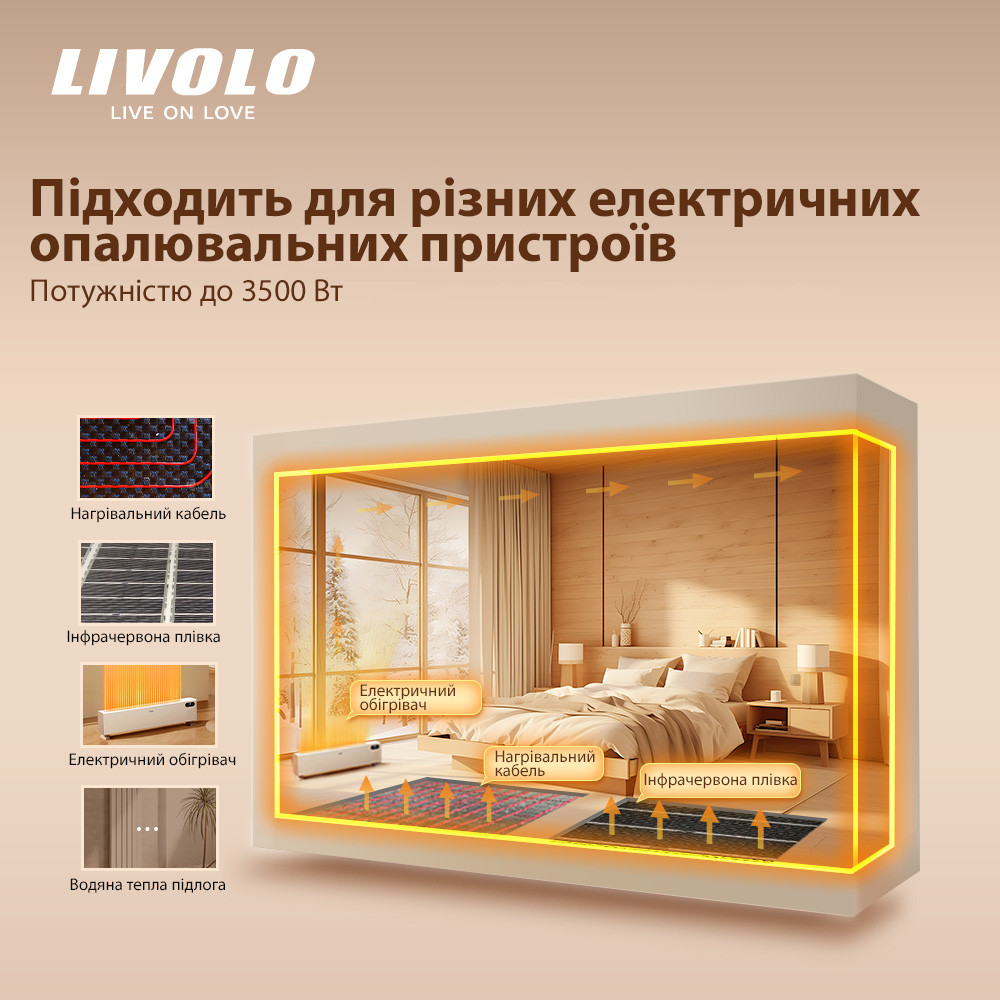
The device is suitable for controlling electric underfloor heating and other heating equipment. It is convenient for use in an apartment, a house, an office or a shop.
Your comfort starts before you wake up
Underfloor heating and rooms take time to warm up. If you only switch the heating on after waking up or arriving home, you have to wait.
LIVOLO EC lets you schedule your heating in advance. Set the heating to start at a time that suits your system — and enjoy warmth when you need it.
In the app, you can create a separate schedule for each day of the week — with up to six temperature periods per day:
-
In the morning — a warm bathroom floor and a comfortable start to the day.
-
During working hours — a lower temperature while nobody is home.
-
Before you return — heating resumes in advance.
-
In the evening — a cosy temperature for relaxing with your family.
-
At night — your preferred level of warmth for sleeping.
You can set a different schedule for weekends. In an office or shop, you can schedule heating ahead of the working day and reduce the temperature after closing.
Control your heating from your smartphone — even when you are away
Working late? Decided to come home early? Gone away for the weekend and remembered you left the heating on? Change the settings in the LIVOLO app — there is no need to return home or walk over to the thermostat.
From your smartphone, you can conveniently:
-
check the current temperature;
-
switch the connected heating on and off;
-
change the target temperature;
-
set up a weekly schedule;
-
select the sensor used to regulate heating;
-
activate the touch panel lock.
A compatible LIVOLO EC gateway is required for app control. The gateway must be connected to the internet for remote access.
Do not waste energy on heat you do not currently need
There is often no need to maintain the same high temperature when you are at home and when the space is empty. But constantly adjusting it manually is inconvenient.
The thermostat helps match your heating to your actual routine. Following your schedule, it lowers the target temperature while you are away and raises it when you need comfort. In temperature control mode, it automatically switches heating on or off according to the readings from the selected sensor.
This helps avoid unnecessary heating and use energy more efficiently without daily monitoring on your part.
Control the temperature that matters to you
Air temperature matters for a cosy room, while floor temperature matters for comfort underfoot. LIVOLO EC lets you choose which sensor your heating follows.
The device has a built-in sensor and supports the connection of up to two external NTC 10 kΩ or DS18B20 sensors. In the app, you can select one of the sensors as the primary sensor for heating control.
For example, an external floor sensor lets you control heating based on the floor temperature. The built-in sensor lets you regulate heating based on the air temperature near the thermostat.
The adjustable temperature range is 0 to +50 °C, and the display supports readings in 0.5 °C increments. The temperature compensation function lets you adjust the built-in sensor readings by −9 to +9 °C.
Easy for the whole family to use
You do not have to open the app for everyday control. Simply touch the “+” or “−” buttons on the panel to change the target temperature. The large digits on the display are easy to read, and the relay indicator shows when the thermostat activates heating.
For a bedroom, you can reduce the display brightness in standby mode. During use, the panel lights up at maximum brightness, then returns to the preset level after 15 seconds of inactivity. The settings remain easy to see when you need them, and you can dim the backlight for the evening.
“Away” and “Sleep” modes are also available.
Keep your settings protected from accidental touches
Has a child touched the panel, or has someone accidentally pressed a button? The touch control lock helps preserve your set temperature and operating mode.
The function is activated through the app. You can also enable automatic locking: the panel will lock after 15 seconds of inactivity.
The following features help monitor and protect heating operation:
-
Overheat protection — switches heating off when the specified sensor temperature thresholds are exceeded.
-
Frost protection — switches heating on when the sensor detects a temperature below +5 °C.
-
Fault indication — displays a notification on the panel if a device hardware error occurs.
Two ways to control heating
Temperature control: set your desired temperature, and the thermostat automatically controls heating based on the sensor readings. This is a convenient option for maintaining everyday comfort.
Cycle control: set how long the heating runs within a repeating 30-minute cycle. For example, 10 minutes of heating followed by a 20-minute pause. This mode is useful when equipment needs to operate intermittently.
How to get started
After installing and connecting the thermostat:
-
Set up your LIVOLO EC gateway.
-
Add the thermostat to the app: tap “+”, select the appropriate device and follow the prompts. To pair, press and hold the power button for approximately 5 seconds until the “+” and “−” indicators start flashing.
-
Select the sensor and your preferred temperature.
-
Create a schedule that suits your daily routine.
After that, use the touch panel or your smartphone whenever you want to change the settings. Everyday scheduled control will run automatically.
Choose the version for your system
Model with an L1 switched live output, up to 16 A — for controlling compatible electric heating equipment, including electric underfloor heating.
Model with a COM/NO dry contact, up to 3 A — for compatible boilers, actuators and other equipment controlled by contact closure.
These are different versions of the device: choose the appropriate version according to your heating system’s wiring diagram. The thermostat’s own power consumption is less than 0.8 W.
With LIVOLO EC, you do not need to plan your day around your heating. Make warmth fit your life: for an easier morning, a cosy evening and a welcoming return home.







 Pickup from the branch from UAH 70
 Delivery to the post office from UAH 50
 Courier to the address from UAH 100
 Pickup from the branch from UAH 30


 Online by Visa or Mastercard
 Payment by parts PrivatBank
 Hire Purchase monobank
 Payment by IBAN details
 Payment upon receipt
 Warranty - 5 years
 Returns within 14 days
 Exchange within 30 days
 Accumulative discount