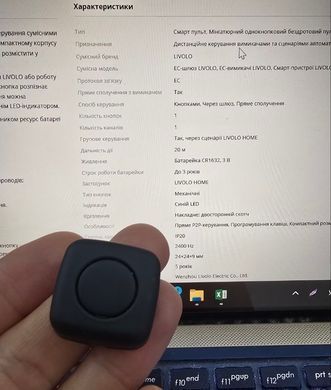
LIVOLO EC Mini Wireless Remote Control is designed for remote control of compatible LIVOLO touch switches and for triggering smart home scenarios. Thanks to its compact 24×24×9 mm housing, the remote can be conveniently used as a pocket control button or installed in any suitable location.
The remote supports two operating modes: direct pairing with a compatible LIVOLO switch or operation through a gateway with automation settings in the LIVOLO HOME app. A single button recognizes single, double, and triple presses, allowing different commands or scenarios to be assigned to each type of press. Button operation is confirmed by a blue LED indicator.
The remote is powered by a compact CR1632 3 V battery, with a manufacturer-stated battery life of up to 3 years. The housing is made of flame-retardant material.
Usage Options
The remote can be used for:
- remotely switching lights on and off;
- controlling a compatible touch switch without installing additional wiring;
- triggering automations through LIVOLO HOME;
- assigning different commands to single, double, and triple presses.
User Instructions
Preparing the Remote Control
Before first use, install a CR1632 3 V battery. Press the button — the blue LED indicator should light up. If the remote does not operate correctly, the manufacturer recommends removing the battery for approximately 1 minute and then reinstalling it.
1. Connection via Gateway and LIVOLO HOME
Before connecting the remote, the gateway must already be configured.
- Open the LIVOLO HOME app.
- Go to Device → “+” → Remotes → Mini Single-button Remote Control.
- Select the required gateway.
- Follow the instructions in the app to complete the connection.
- After adding the remote, configure the required scenarios and automations.
To remove the remote, open its page in LIVOLO HOME, tap the “…” menu in the upper-right corner, and select Delete.
2. Direct Pairing with a Switch
The remote can also be paired directly with a compatible LIVOLO touch switch.
- Press and hold the touch button on the switch for approximately 5 seconds.
- Release the button after you hear the beep.
- On the mini remote, perform the required press type: single, double, or triple press.
- The switch will emit one beep — pairing has been completed successfully.
Removing Direct Pairing
To remove all paired remote controls, press and hold the switch button for approximately 10 seconds.
To remove a specific pairing, press and hold the switch button for approximately 5 seconds, then perform the corresponding single, double, or triple press on the mini remote. Two beeps from the switch confirm that the pairing has been removed successfully.






 Pickup from the branch from UAH 70
 Delivery to the post office from UAH 50
 Courier to the address from UAH 100
 Pickup from the branch from UAH 30


 Online by Visa or Mastercard
 Payment by parts PrivatBank
 Hire Purchase monobank
 Payment by IBAN details
 Payment upon receipt
 Warranty - 5 years
 Returns within 14 days
 Exchange within 30 days
 Accumulative discount