LIVOLO EC Smart Two-Channel Dry Contact Relay
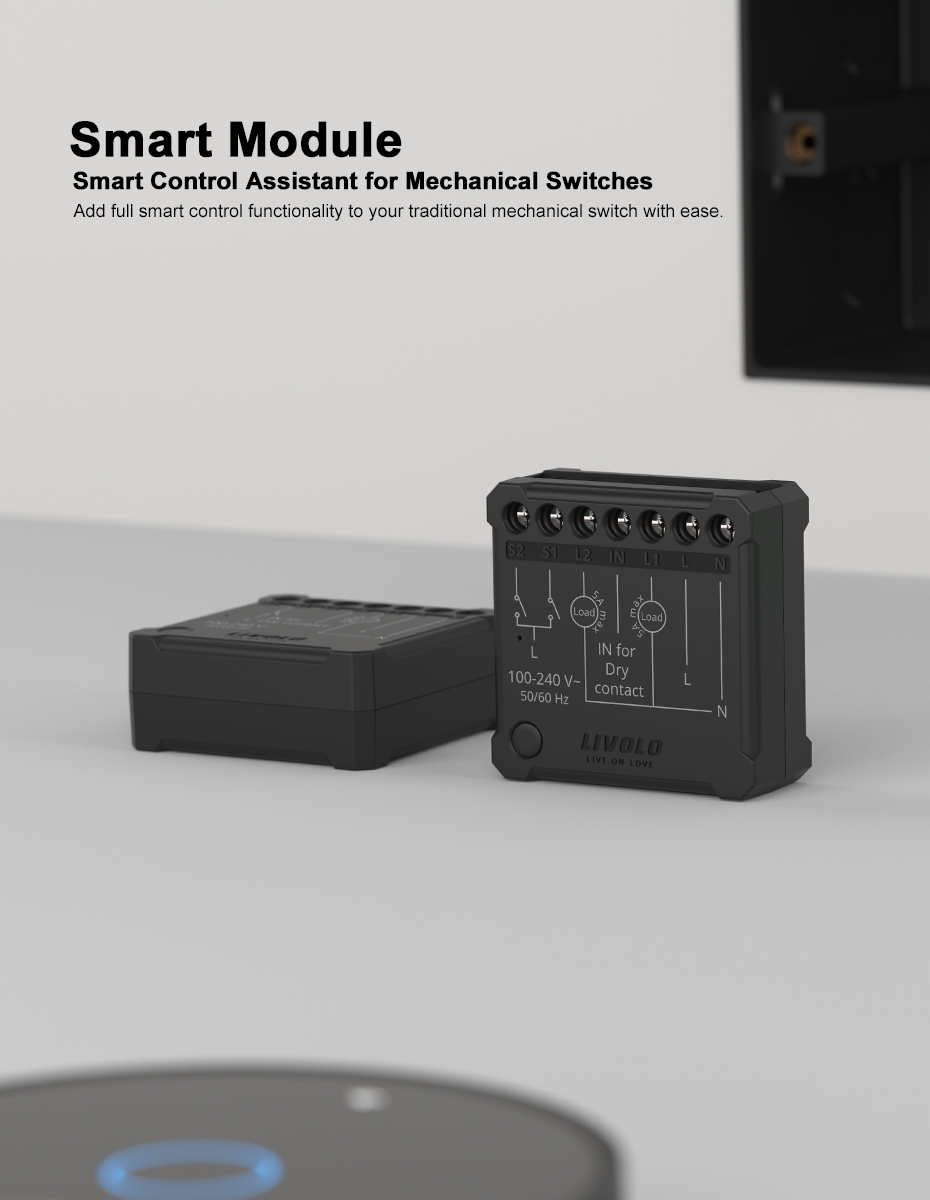
The LIVOLO EC smart two-channel relay turns a conventional wall switch into part of your smart home and lets you control connected equipment from your smartphone. There is no need to replace your familiar switch or change your interior design: the compact relay fits inside the switch back box, adding remote control, automation routines and timers.
The device’s key feature is its dry contact. The relay does not supply its own voltage to the controlled output; it simply opens or closes the connected circuit. This allows it to control lighting and equipment with a contact input or a separate power supply.
What the Relay Can Do
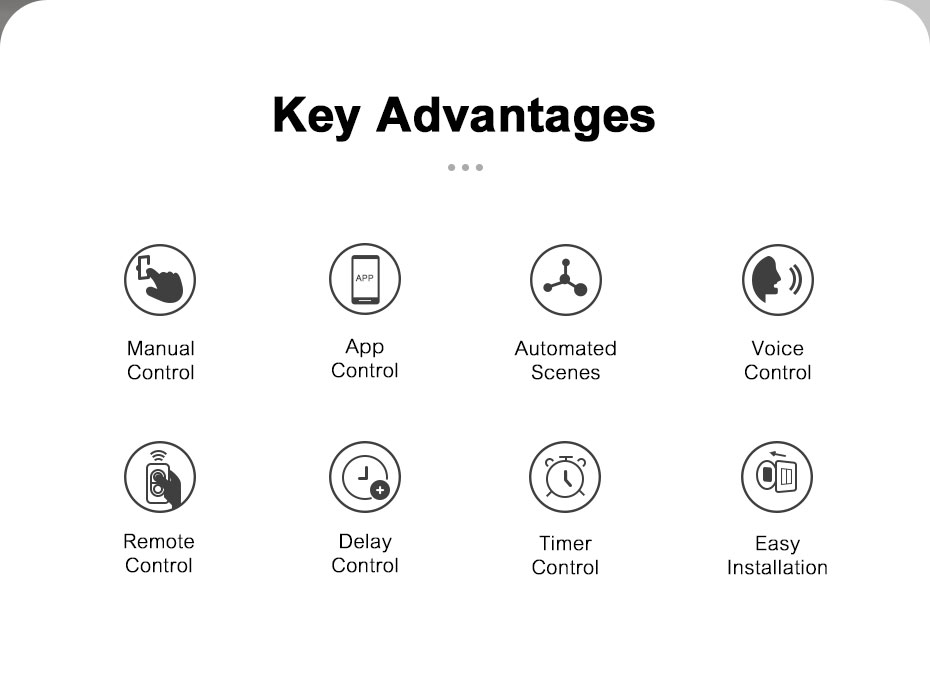
LIVOLO EC helps automate equipment that previously had to be switched on manually. Control it using your existing wall switch, a remote control or your smartphone, depending on your chosen setup.
Provided that the electrical ratings and control method are compatible, the relay can be used for:
- lighting and separate groups of light fixtures;
- boilers and heating systems with dry contact control;
- gates, pedestrian gates and other automation systems with a contact input;
- pumps, ventilation and irrigation systems;
- contactors, relays and low-voltage circuits up to 30 V DC.
The maximum load is 5 A per channel and no more than 10 A in total.
Two Independent Control Channels
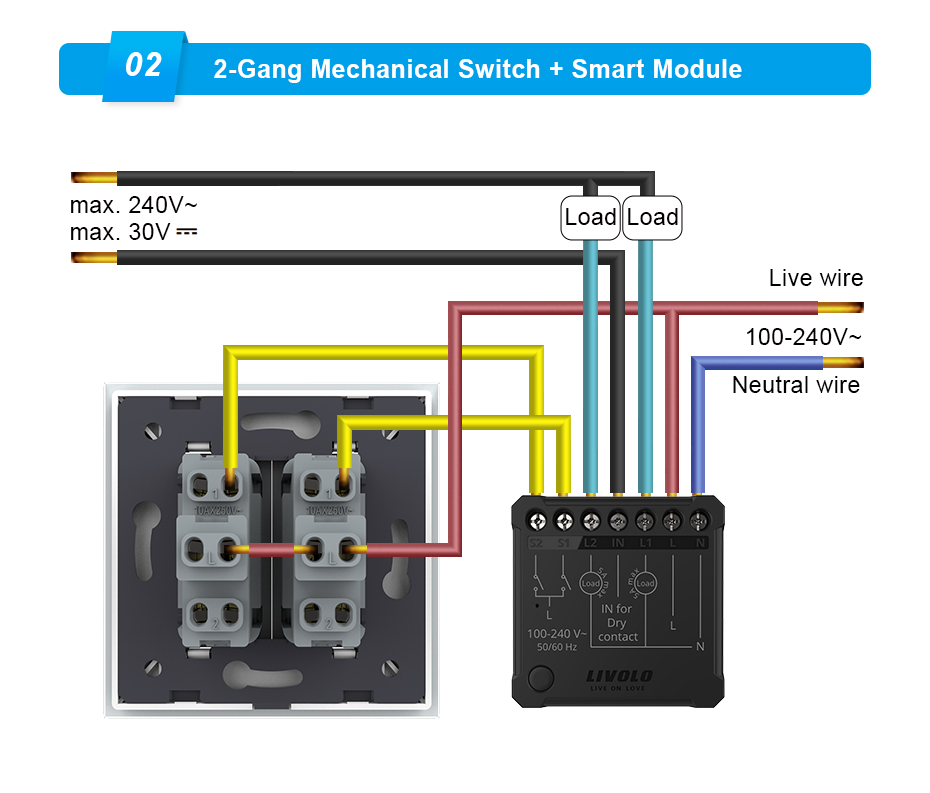
The two-channel relay lets you control two devices or circuits separately from one compact unit. For example, you can control main and decorative lighting or two groups of light fixtures. Each channel can be switched independently of the other.
Keep Your Familiar Wall Switch
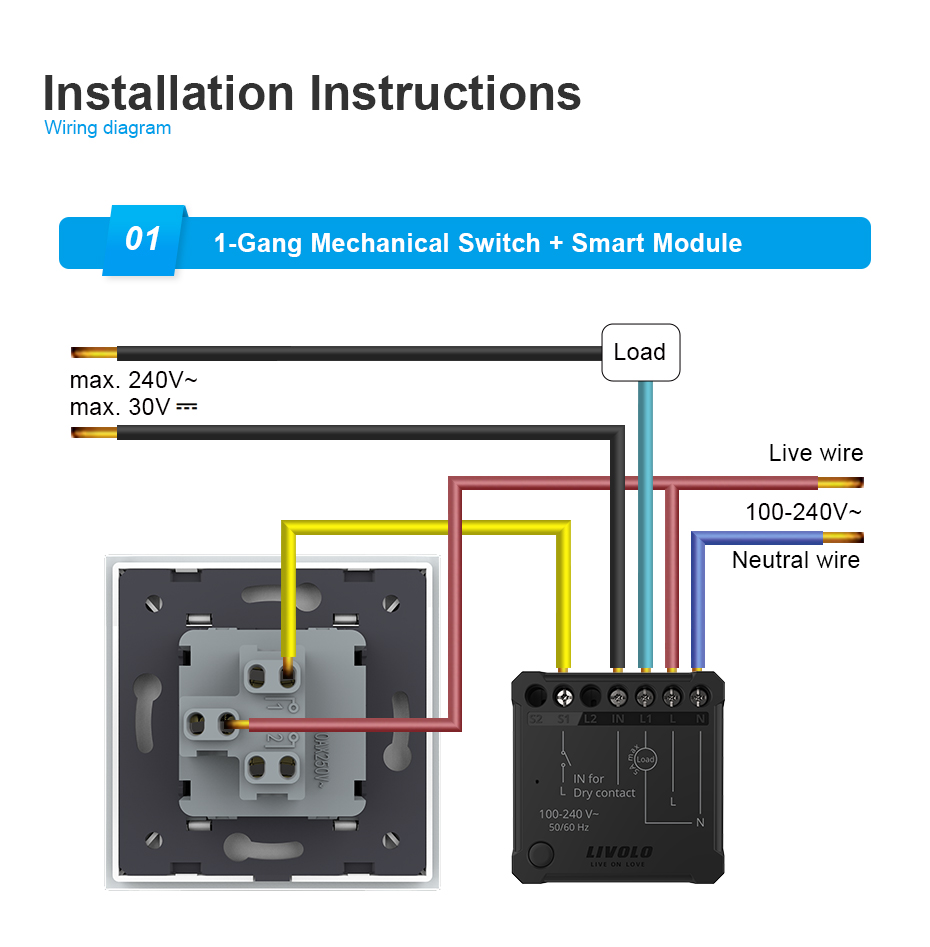
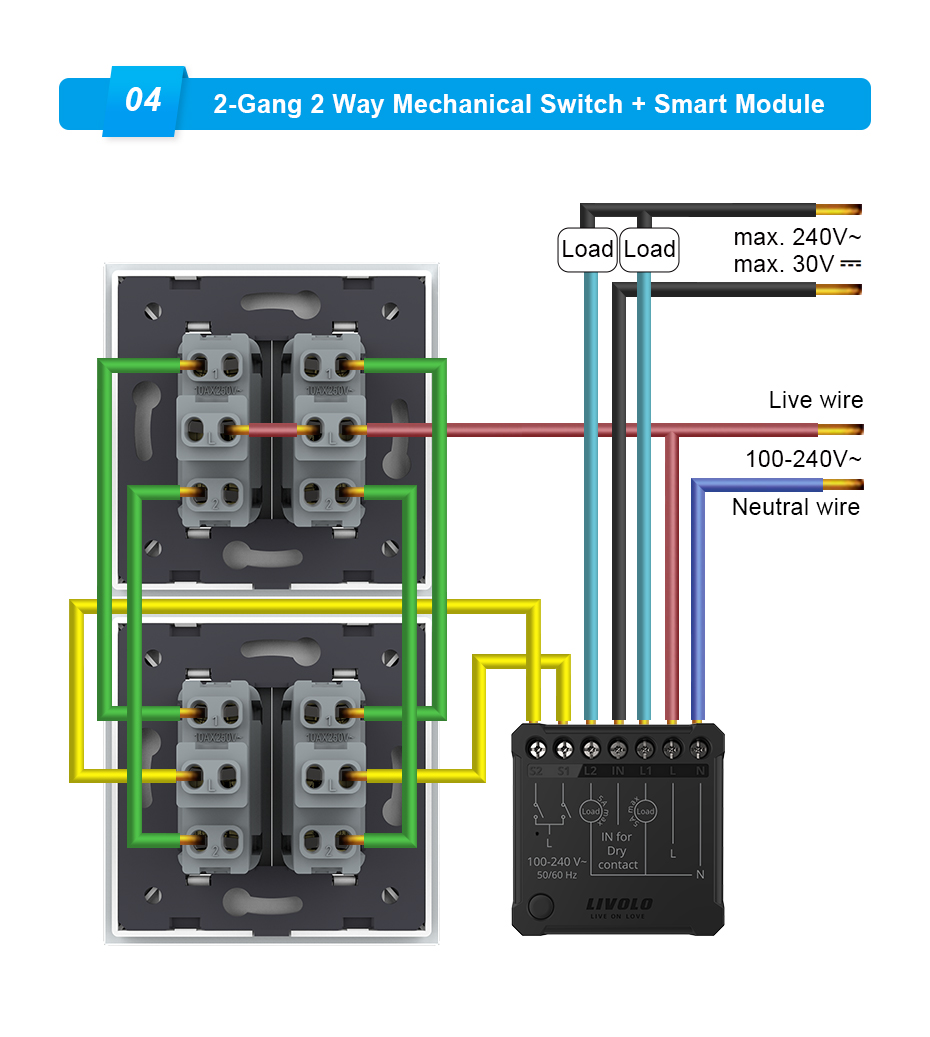
The relay supports conventional rocker switches and momentary push-button switches. The switch type is configured in the app. It also supports mechanical two-way switching circuits for control from multiple locations.
After installation, you can use your wall switch just as before. You also gain the ability to control equipment remotely, set timers and create automation routines. It is convenient for the whole family: everyone can choose their preferred way to control the equipment.
Smartphone Control
To control the relay through the LIVOLO HOME app, connect it to a LIVOLO EC gateway, sold separately. Once the device has been added, you can:
- switch connected equipment on and off from your smartphone;
- check the status of the relay channels in the app;
- create automation routines with other compatible LIVOLO devices;
- set an automatic switch-off delay;
- choose the relay’s state when power is restored.
For example, a routine using a compatible motion sensor can turn the lights on automatically when you enter a room. An “I’m Leaving” scene can switch off selected equipment with a single tap before you leave home.
Automatic Switch-Off Timer
In the app, you can set a delay of 15, 45 or 90 seconds, or specify a custom duration. In this mode, pressing the wall switch turns on the connected equipment and starts a countdown. When the countdown ends, the relay automatically opens the contact.
Pressing the switch again during the countdown restarts the timer, allowing you to extend the operating time without changing the settings.
This is useful for lighting in hallways, walk-in wardrobes and utility rooms, as well as compatible ventilation and irrigation systems. The equipment runs for the required time and then switches off automatically.
Wireless Remote Control
The relay supports direct pairing with compatible LIVOLO remote controls. Each channel can store up to 8 remote control codes. This lets you add a wireless control point where running a cable would be inconvenient or renovation work has already been completed.
Connecting the relay to a gateway deletes its direct remote control pairings. To continue using a compatible remote through the gateway, configure the corresponding automation routine in the LIVOLO HOME app.
Operation After Power Is Restored
In the app, you can choose how the relay behaves when power is restored:
- restore the previous state — return to the state it was in before the power outage;
- remain off — prevent connected equipment from starting automatically;
- switch on — resume operation of the connected equipment.
Choose the option that suits the equipment’s purpose so that its behaviour after power is restored is predictable.
Compact, Concealed Installation
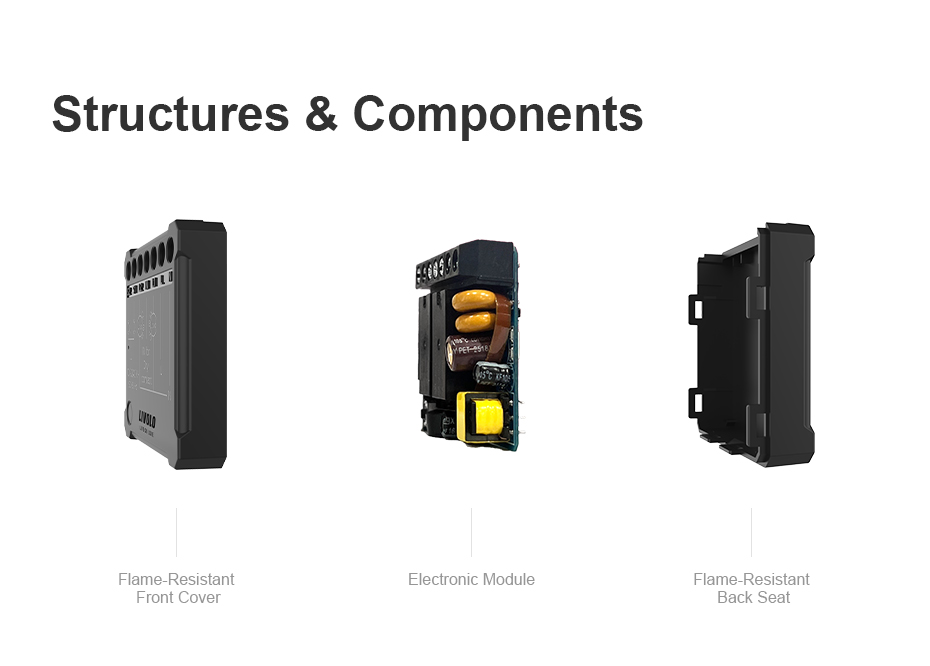
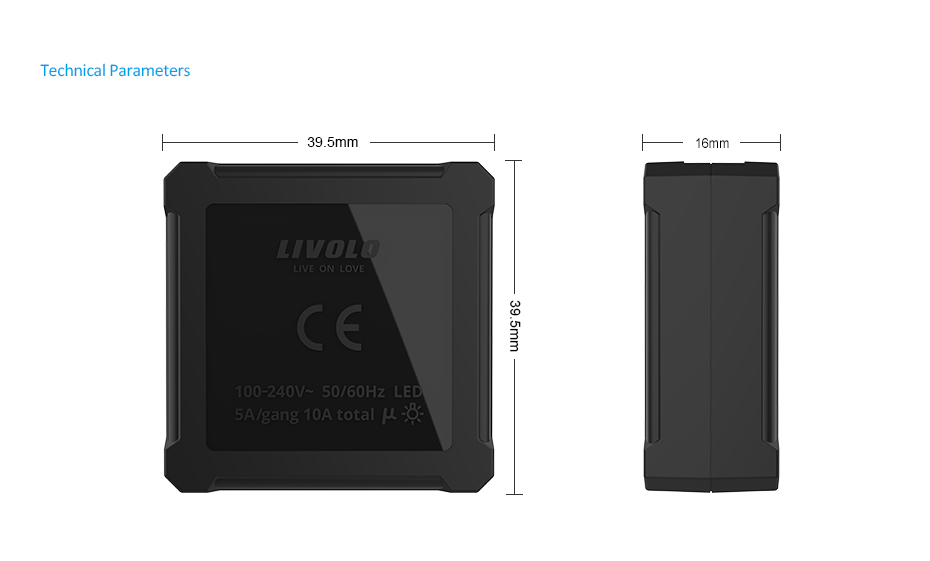
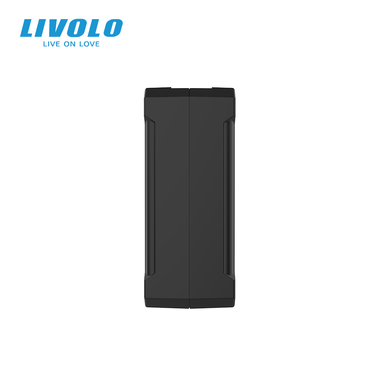
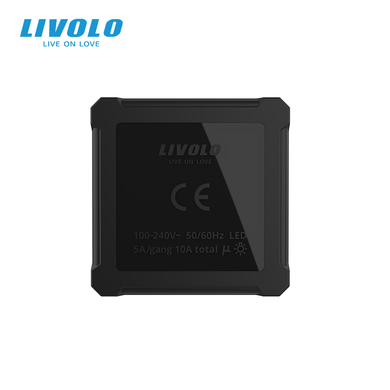
The housing measures just 39.5 × 39.5 × 16 mm. The relay can be installed behind the switch mechanism or inside a mounting box, provided there is enough space for the device and wiring. All components remain concealed, preserving the neat appearance of your interior.
The relay requires live and neutral connections to a 100–240 V AC supply. Installation must be carried out by a qualified electrician with the power fully disconnected.
More Convenience Every Day
Switch off the lights without getting up from the sofa, add a wireless button beside your bed or set equipment to turn off automatically — LIVOLO EC makes these conveniences part of everyday life.
This small relay brings greater comfort and control to your home. Your familiar switches stay in place, while you gain more control options and fewer everyday tasks to perform manually.
Technical Specifications
| Device type |
Smart dry contact relay |
| Number of channels |
2 |
| Relay power supply |
100–240 V AC, 50/60 Hz |
| Controlled circuit voltage |
Up to 240 V AC or up to 30 V DC |
| Maximum load |
5 A per channel, no more than 10 A in total |
| Minimum load according to the manual |
5 W |
| Communication protocol |
EC, LIVOLO’s proprietary protocol |
| Smartphone control |
LIVOLO HOME via a LIVOLO EC gateway |
| Compatible switches |
Conventional rocker and momentary push-button switches; supports mechanical two-way switching circuits |
| Switch-off timer |
15, 45 or 90 seconds, or a custom duration |
| State after power restoration |
Previous state, off or on |
| Indicators |
LED and audible signal |
| Operating lifespan |
100,000 cycles |
| Operating temperature |
−10 to +40 °C |
| Dimensions |
39.5 × 39.5 × 16 mm |
| Housing |
Flame-retardant material |











 Pickup from the branch from UAH 70
 Delivery to the post office from UAH 50
 Courier to the address from UAH 100
 Pickup from the branch from UAH 30


 Online by Visa or Mastercard
 Payment by parts PrivatBank
 Hire Purchase monobank
 Payment by IBAN details
 Payment upon receipt
 Warranty - 5 years
 Returns within 14 days
 Exchange within 30 days
 Accumulative discount