Type your phone number and we will call you back shortly
Working hours:
Mon–Fri: 9 AM to 6 PM
Sat: 10 AM to 3 PM
LIVOLO is a touch dimmer for those who want more than simply switching the light on and off — it allows you to adjust the lighting for every situation. Bright light for working, soft evening lighting, or minimum brightness for relaxing — the required level can be selected directly on the panel.
Convenient brightness adjustment
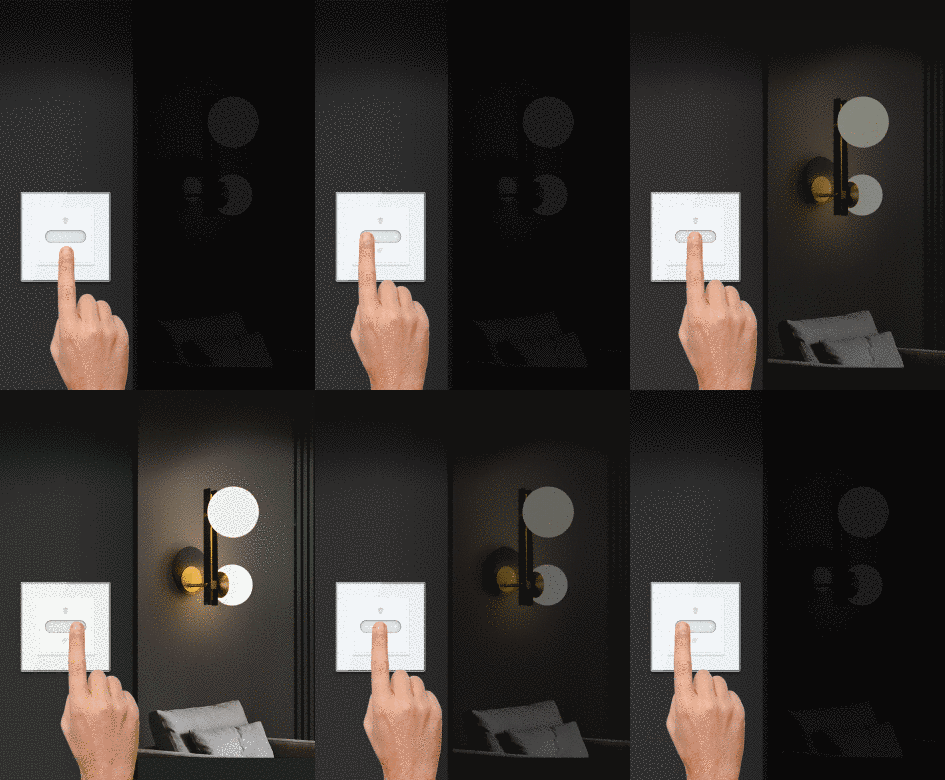
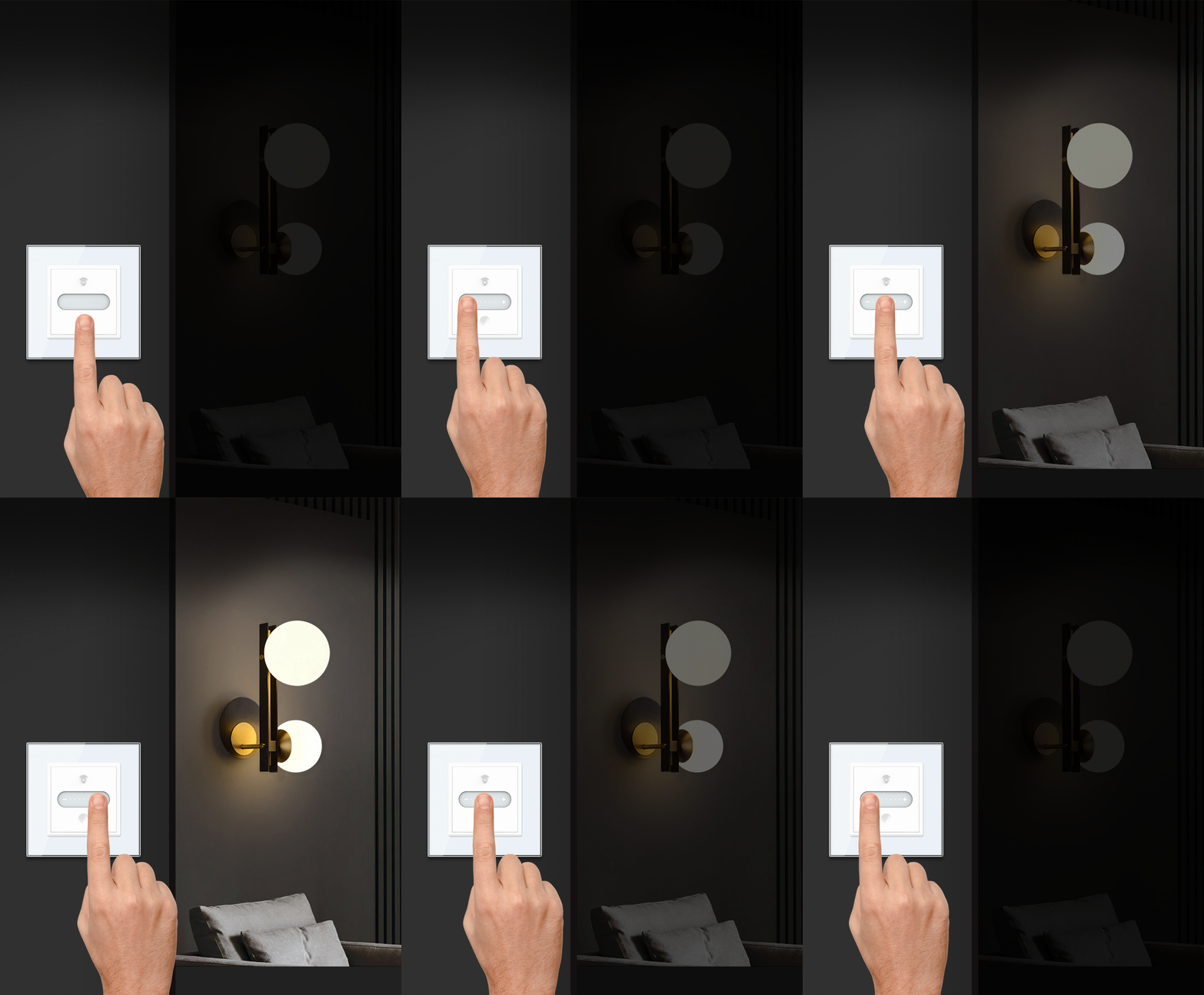
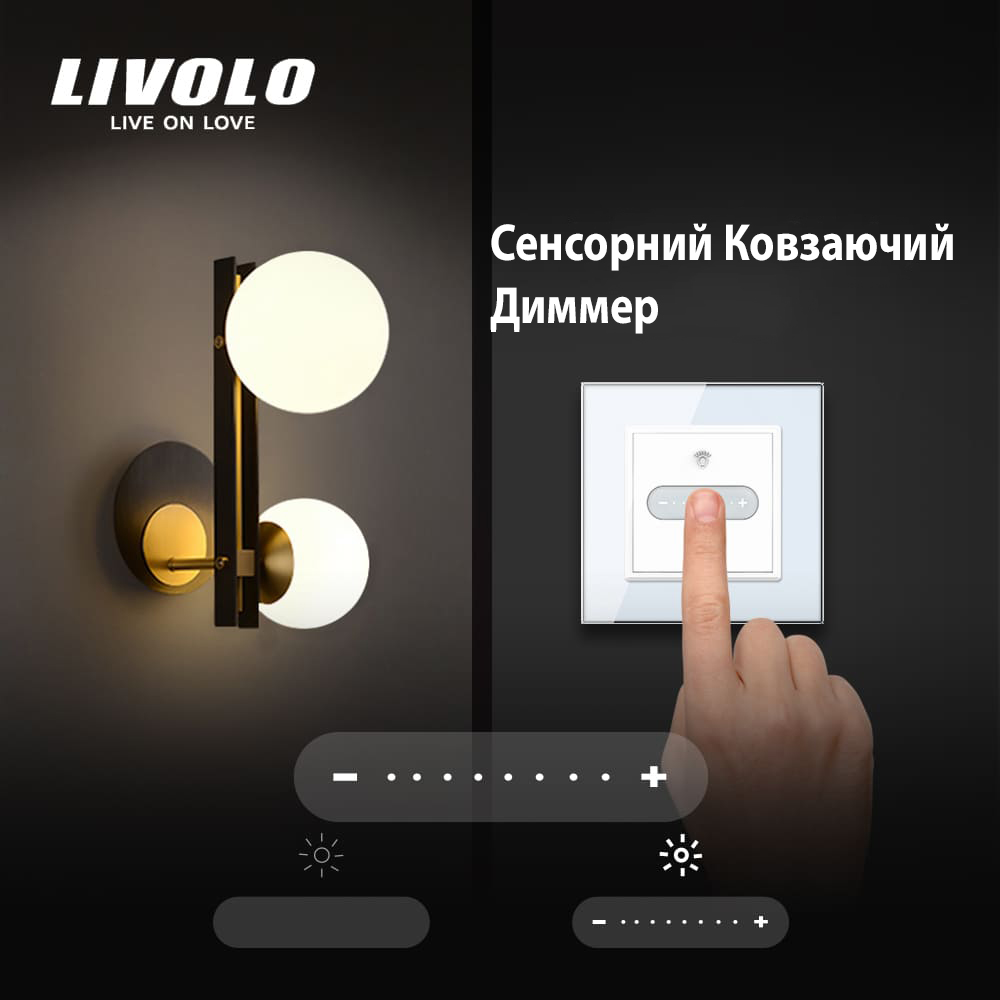
The panel features a touch-sensitive scale marked with «−» and «+». Brightness can be controlled in two ways: use short touches for step-by-step adjustment or slide your finger across the control for quick adjustment.
The dimmer provides 7 brightness levels. Touching «+» increases the brightness by one level, while touching «−» decreases it. Slide your finger from «−» to «+» to make the light brighter, or in the opposite direction to dim it.
A separate touch button is used to switch the light on and off. The dimmer remembers the last selected brightness level, so there is no need to adjust the light again every time it is switched on.
What is a dimmer used for?
A conventional switch offers only two options — the light is either on or off. A dimmer allows you to select a comfortable brightness level for each situation.
It helps solve several everyday lighting needs:
dim overly bright lighting in the evening;
create comfortable lighting for relaxing, watching TV, or the bedroom;
increase brightness when working, reading, or cleaning;
change the lighting quickly with a single finger movement;
avoid readjusting the brightness after every switch-on;
control the lighting from a smartphone after connecting it to the LIVOLO system.
Smart control via the LIVOLO app
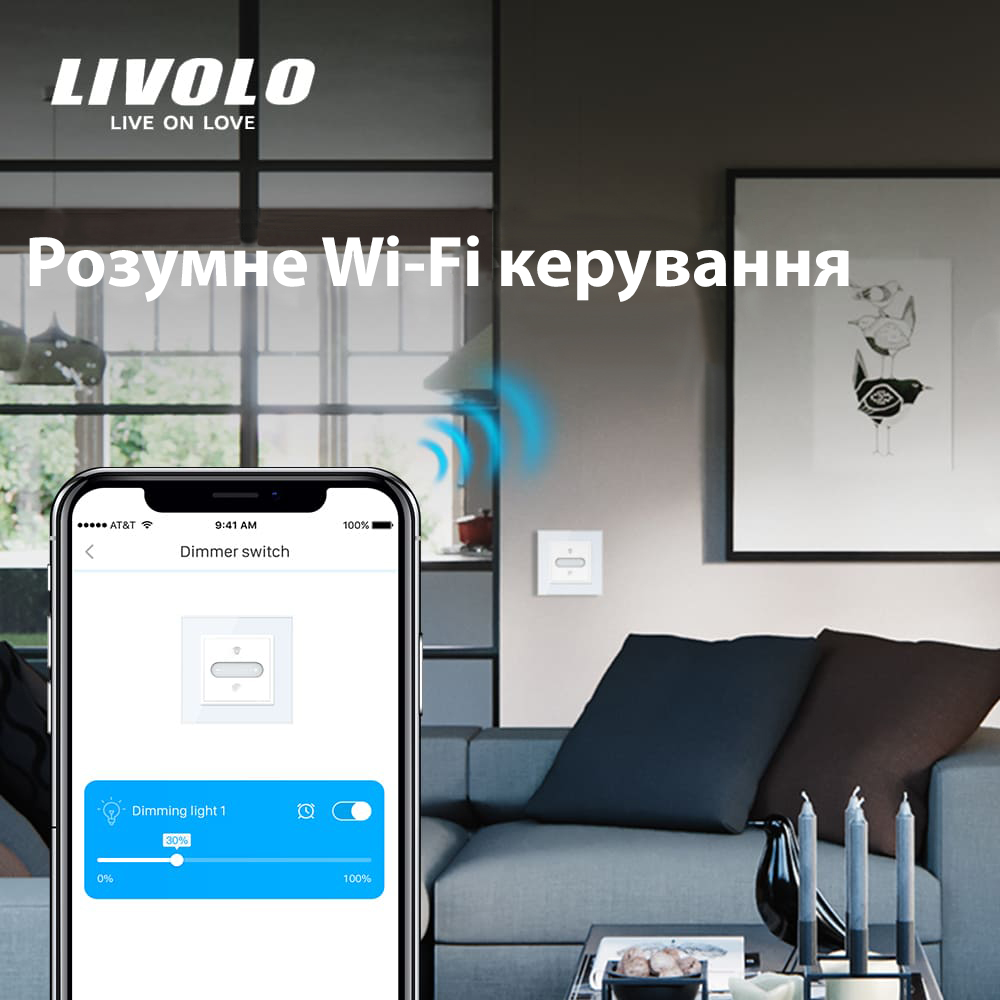
This model uses the LIVOLO EC protocol. After connecting it through a compatible EC gateway, the dimmer can be added to the LIVOLO app and controlled from a smartphone.
To connect the device, first configure the gateway and select Add Slide Dimmer in the app. Then press and hold the dimmer button for approximately 5 seconds. After the audible signal and flashing indicators, continue the pairing process in the app.
The lighting can therefore be controlled directly from the wall dimmer without a phone or remotely through the LIVOLO system.
Connection without a neutral wire
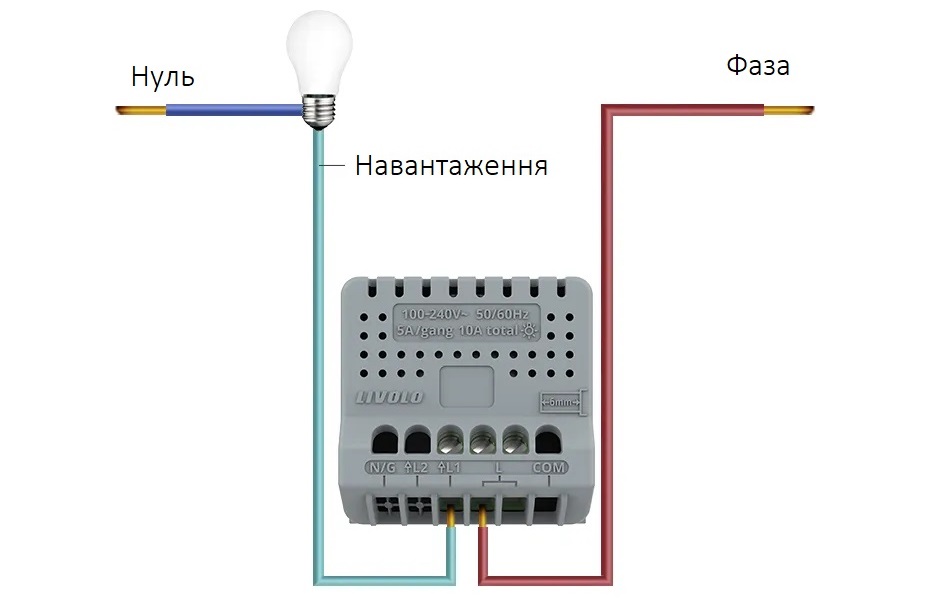
According to the manufacturer’s wiring diagram, the neutral wire for the dimmer itself is optional. If the lamp flickers or restarts at maximum brightness, the manufacturer recommends connecting the neutral wire to the corresponding dimmer terminal, provided this is possible in the existing installation.
Advantages
Convenient operation: the switch responds to a touch from a finger or palm, making it easy to use.
High level of safety: the switch can be operated with wet hands, making it suitable for humid areas such as bathrooms.
Backlight: the LED backlight makes the switch easy to find in the dark.
Easy installation: the switch can be installed quickly in just a few minutes.
Reliability: the switch is designed for approximately 100,000 operating cycles, ensuring a long service life.
Remote control: convenient lighting control from a mobile device.
Features
Adjustable light brightness;
Manual or smartphone lighting control;
Memory function;
7 brightness levels;
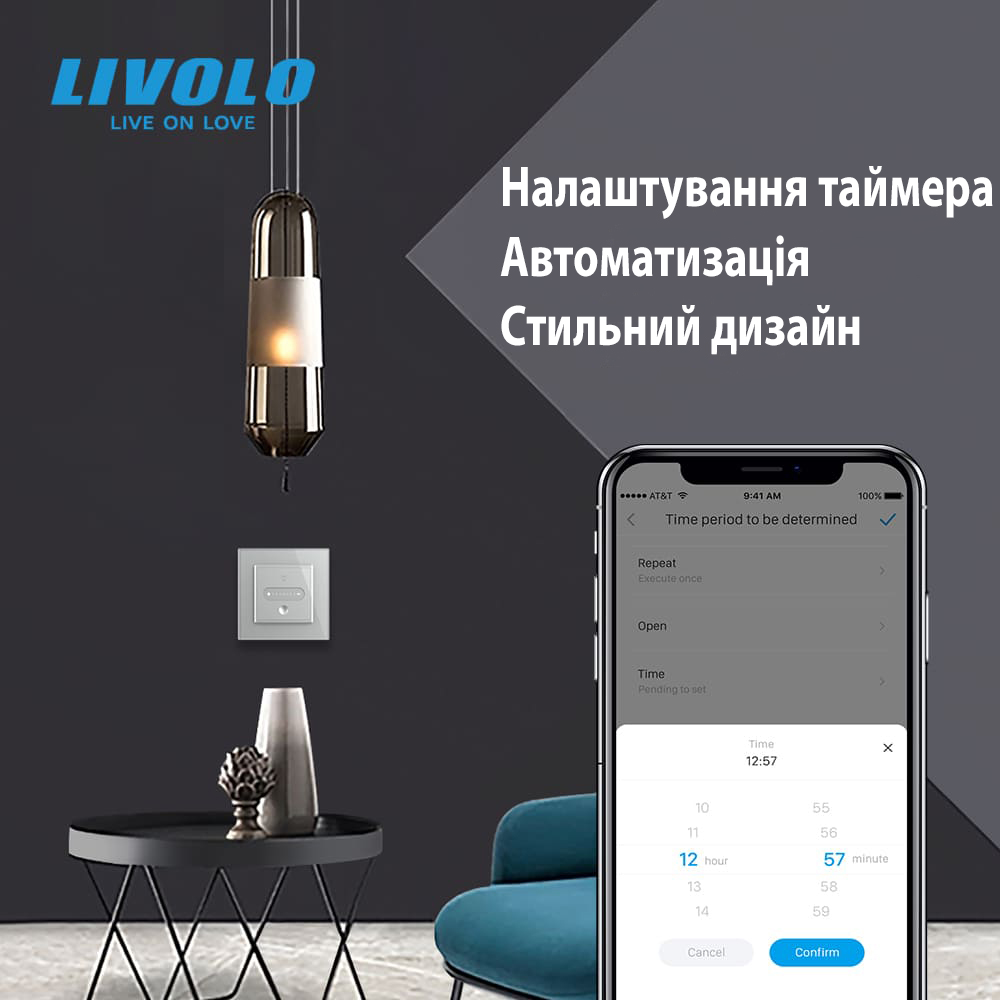
On/off scheduling — for example, simulating sunrise in the morning and sunset in the evening;
Additional lighting control. The LIVOLO HOME app allows you to check the switch status and control the lighting from anywhere;
Suitable for light sources rated from 5 W to 500 W;
Illuminated touch control makes the switch easy to find at night;
Quick and easy installation using screw terminals;
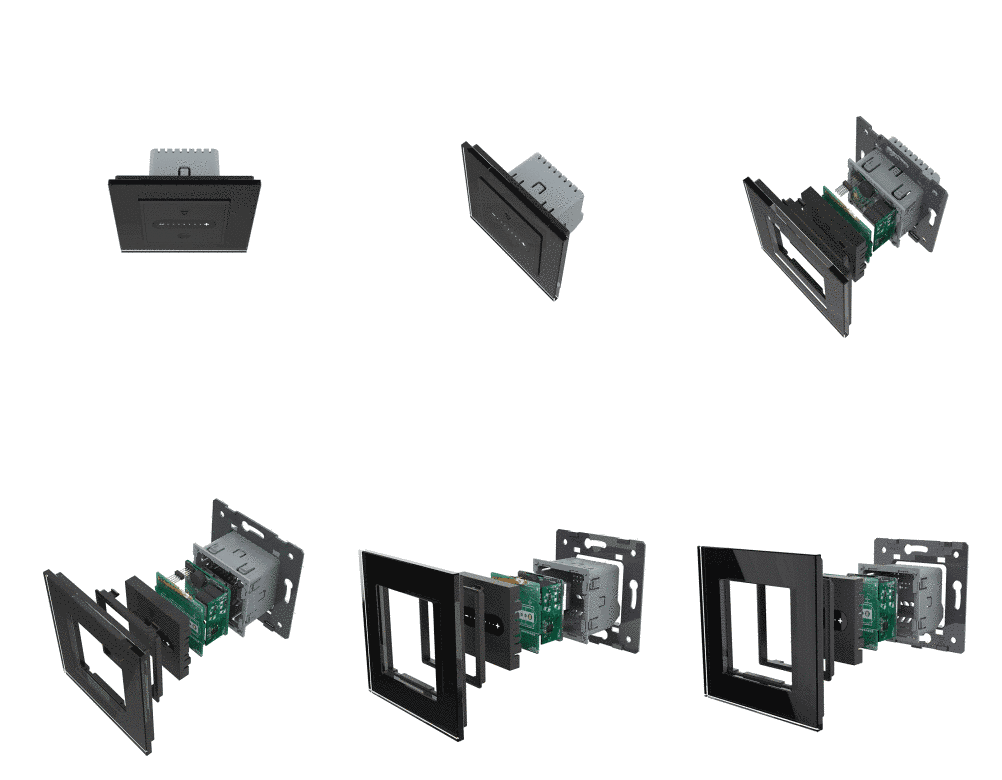
Up to 5 mechanisms can be installed in one frame;
Designed for use with a tempered-glass frame.
The LIVOLO touch dimmer can operate independently. You can replace conventional switches with touch dimmers only where they are required. The LIVOLO touch dimmer is installed in place of an existing wall switch.
Touch control
The touch dimmer allows you to adjust the lighting easily according to your needs. For example, before going to sleep, slide your finger across the sensor to set soft lighting that will help you relax and fall asleep.
During intensive work that requires visual concentration, set the dimmer to maximum brightness for better illumination and visibility.
At other times of the day, set the dimmer to a medium level. This helps reduce electricity consumption while maintaining comfortable lighting for your eyes.
Wi-Fi control
The LIVOLO touch dimmer allows you to control the lighting remotely via the Internet from anywhere in the world. This is especially convenient when you are away from home. You can switch the light on or off remotely and schedule automatic lighting operation at different times of the day.
You can create an on/off schedule to simulate occupancy while you are away. This provides additional convenience and can also improve home security.
Automation and scheduling
Imagine that you are watching an exciting movie and do not want to get out of bed to switch off the light in the children’s room. With a voice command to your Smart Home system, this can be done effortlessly. Simply give the appropriate command, and the system will switch the light off for you.
If you need to leave the apartment quickly and do not have time to check every room, the Smart Home system can perform the required actions according to a preset scenario. For example, it can automatically switch off the lights, lock the entrance door, and activate the security system. All scenarios can be controlled from your smartphone.
The Smart Home system provides convenience, efficiency, and security by allowing you to control different aspects of your home from your smartphone.
Glass frame
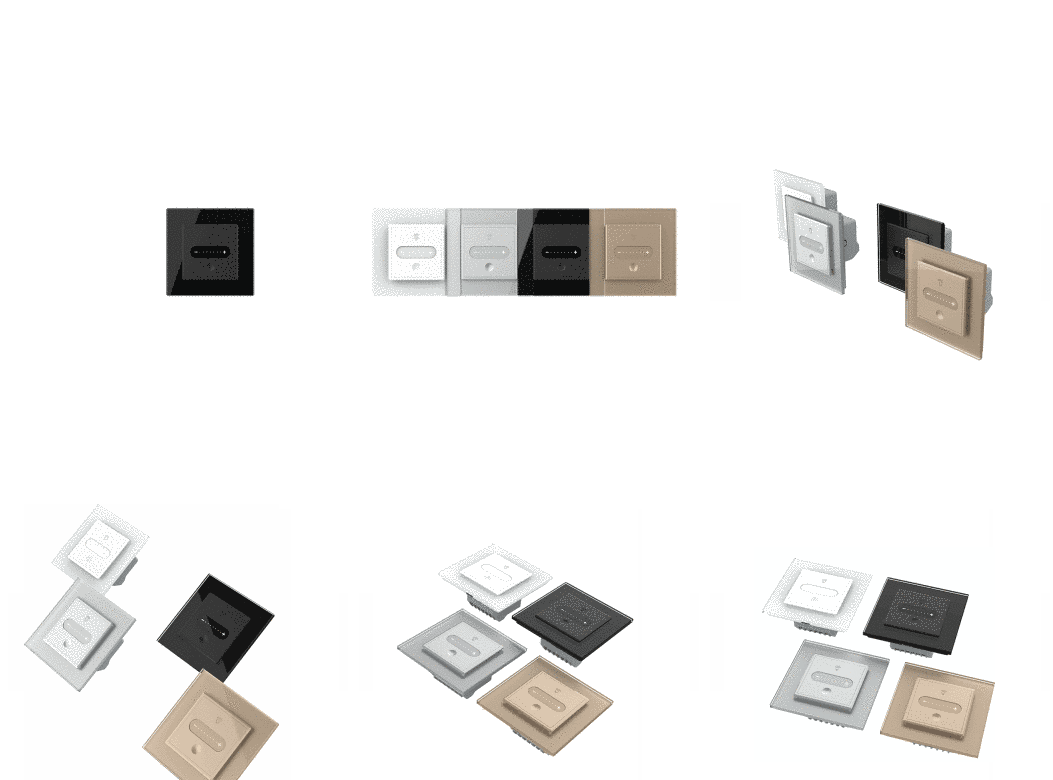
The dimmer is designed for use with a glass frame, which gives it a stylish and modern appearance. The frame blends harmoniously with the interior, making the dimmer not only a functional lighting control device but also an attractive design element.
LED lamp compatibility
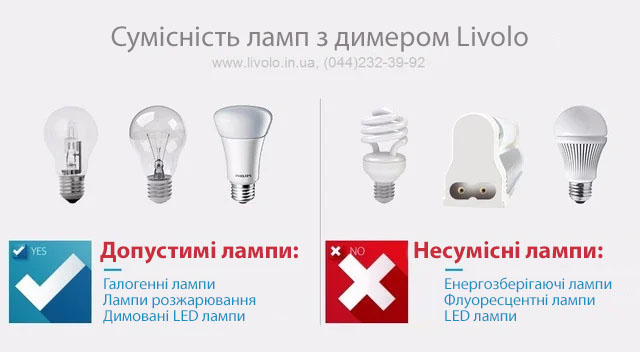
Touch switches with a dimming function are compatible with various types of dimmable lamps. The recommended load range is from 5 W to 500 W.
Reliable connection to the hub
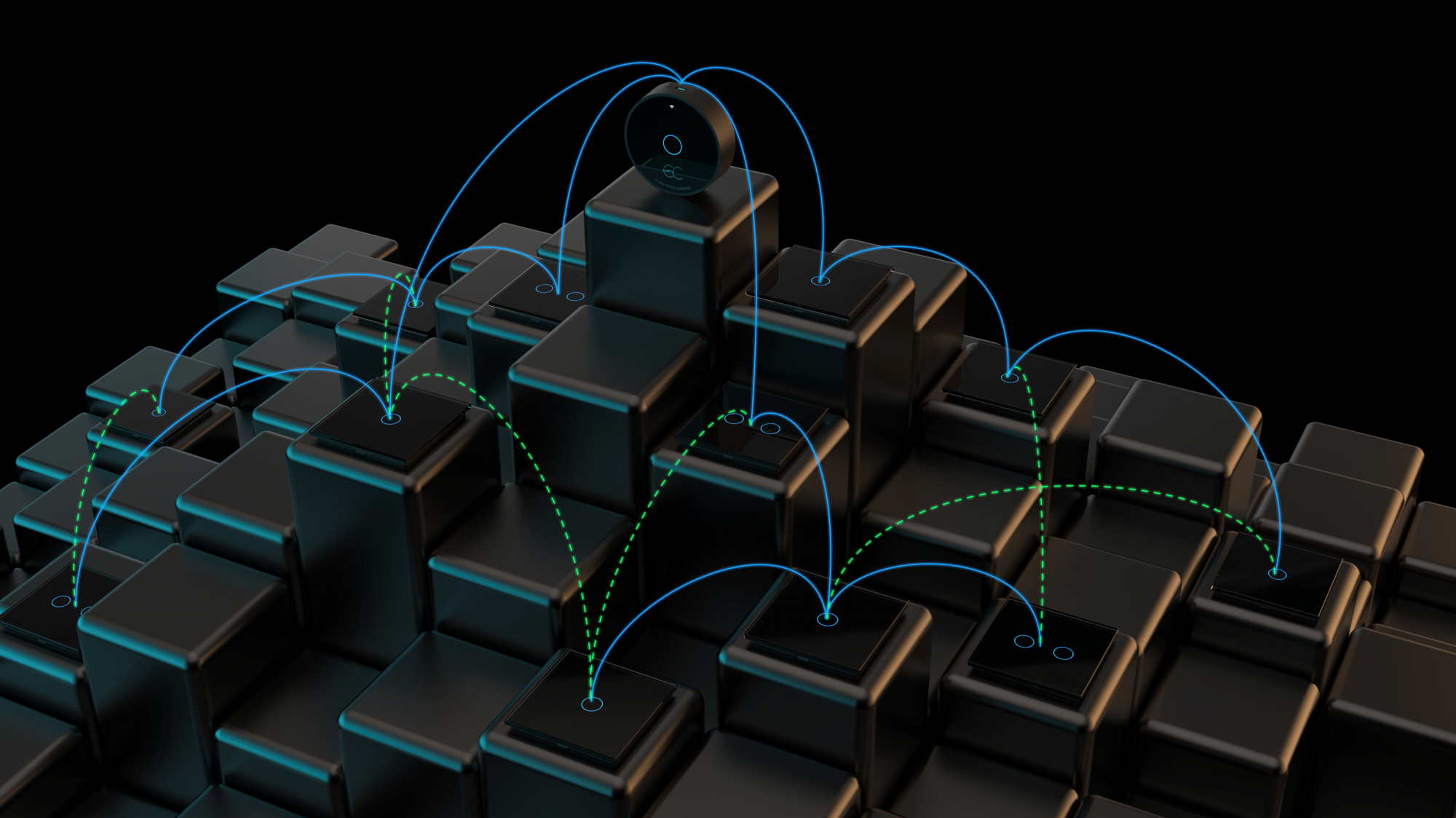
LightSwitch functionality is supported by the central unit of the LIVOLO system — the hub. The switch can be added to the hub in just a few steps using the LIVOLO HOME app.
The slide dimmer is a functional part of the Smart Home system and is used together with a gateway.
After a successful connection to the gateway, the brightness can be adjusted through the app. The dimmer can also be combined with other smart devices to create automated scenarios. For example, a Cinema Mode scenario that automatically adjusts the brightness when entertainment equipment is switched on or off requires at least one smart socket, one gateway, and one slide dimmer.
Installing an additional hub is an easy way to extend the system’s coverage. It may be required when LIVOLO devices are installed on different floors, in a neighbouring building, or at a considerable distance from one another. An additional hub provides a stable connection to all system devices. The hub operates using an EC real-time operating system.
Wiring diagram
The dimmer is connected to the mains using the standard wiring already present in your electrical installation. No changes to the existing wiring layout are required. Simply disconnect the conventional wall switch and install the touch dimmer in its place.
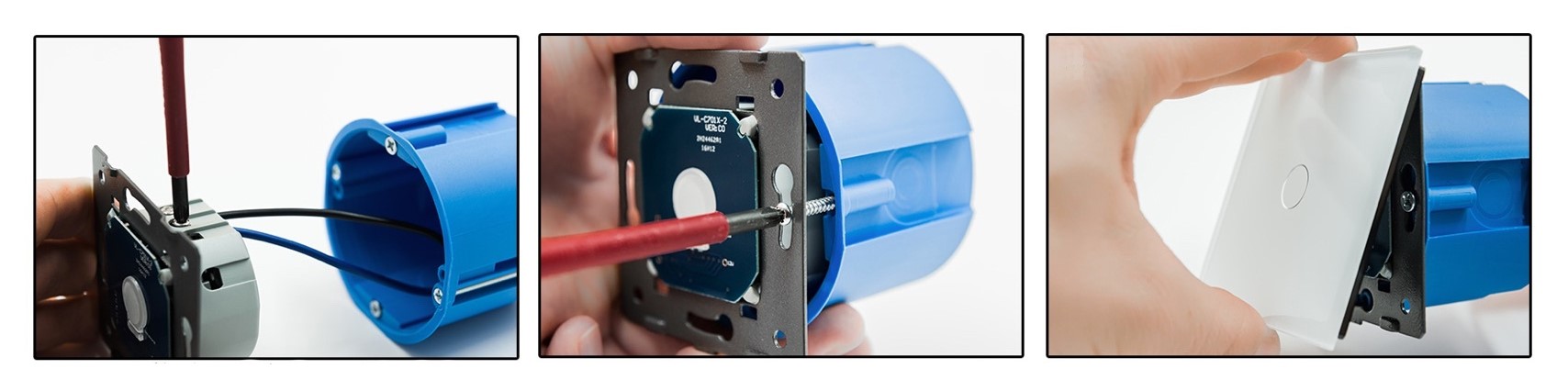
Installation instructions
1. Switch off the power supply;
2. Connect the switch according to the wiring diagram;
3. Secure the switch to the mounting box with screws;
4. Install the touch panel;
5. Switch the power supply back on;
6. The switch will become operational after 15 seconds.
Frequently asked questions
Can LIVOLO dimmers adjust the brightness of LED lamps and LED strips?
LIVOLO dimmers can be used with LED lamps provided that the lamps support dimming. This information can be found in the lamp instructions or product description. LED strips can also be dimmed, but the power supply must support TRIAC dimming.
What voltage are LIVOLO touch dimmers designed for?
LIVOLO touch dimmers are connected to a 220 V mains supply in the same way as a conventional switch, by interrupting the live wire. A neutral wire is not mandatory. The dimmer does not operate on a 12 V circuit.
Can the dimmer be connected to an RGB LED strip?
The dimmer can only adjust the brightness of white light. An RGB dimmer is required to select and control other colours.
What type of power supply is required for dimming an LED strip?
A dimmable TRIAC power supply must be used to connect an LED strip to the dimmer. Check that the power supply is marked TRIAC and that its rated output is suitable for the connected load.
How can dimming control be arranged from multiple locations?
To control the lighting from two locations, use a Master switch — a two-way dimmer to which the lighting load is connected. It can switch the light on and off and adjust its brightness. The secondary Slave switch operates in on/off mode and sends the corresponding command to the Master dimmer.
Which switches have a backlight?
All LIVOLO touch switches have an illuminated touch area. LIVOLO mechanical rocker switches do not have a backlight.
Can LIVOLO switches and sockets be installed vertically?
Yes. LIVOLO devices can also be installed vertically. Since the mechanism fits into the glass panel or frame in only one position, the switch or socket must be rotated 90 degrees to the left or right for vertical installation. For sockets, rotate only the metal mounting frame: remove the socket mechanism, rotate the frame, and reinstall the socket so that the openings remain horizontal.
What is the service life of LIVOLO touch switches?
The manufacturer specifies a service life of 100,000 on/off operations. In practical use, the switches installed on our demonstration stands, where they are operated very frequently, have continued to function correctly for more than 5.5 years.
What is the warranty period for LIVOLO products?
The warranty period for LIVOLO products is 1 year. We provide a complete and prompt replacement of any defective LIVOLO products.
Наталі
Цей диме стане вдалим рішенням для тих, хто прагне оновити інтер’єр сучасною та функціональною електрофурнітурою
Reply
К.В.В.
Спочатку було незвично, але з часом звикаєш. Замовив у кімнату сина — вночі нічого не клацає, все тихо, майже не чутно.
Reply
Маліновський Руслан
Зручні. Світиться в темряві, не треба прикладати силу, щоб перемкнути. Недоліків як на мене — немає.
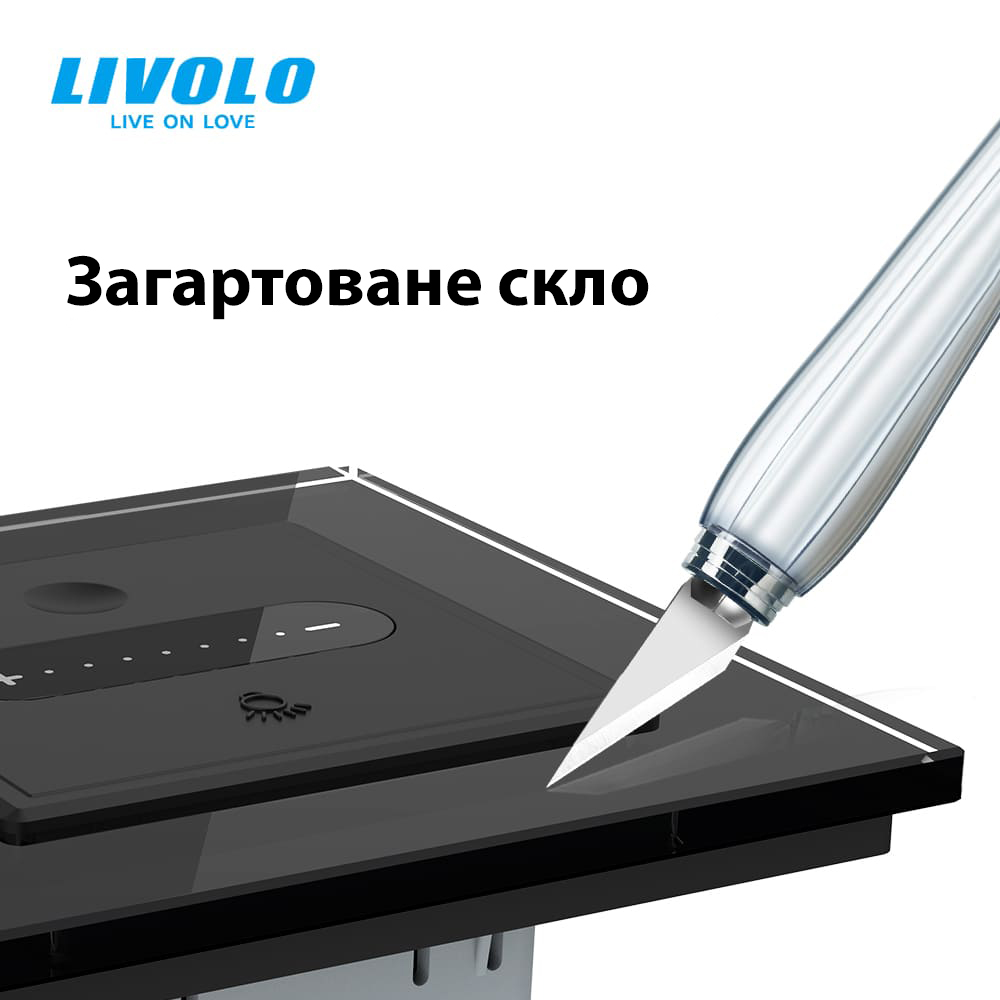
🔹 Glass frame – elegance and durability. Made of tempered glass, it does not fade over time, does not scratch, and retains its flawless appearance even after years of use. Its smooth surface adds elegance to the interior, reflects light, and creates a sense of depth.
🔹 Plastic frame – a budget-friendly and practical option. It is lightweight and easy to install, but over time, it may lose its color, develop scratches, or show signs of wear.
Glass frame test: checking for scratches and strength! Will it withstand the challenge? 🔥🔍
The backlight in the switches makes it easy to find the switch in the dark and comfortable to use at night.
Blue backlight - OFF,
Red - ON.
Light touch, modern look and premium LIVOLO style.
Wenzhou Livolo Electric Co., Ltd. — a manufacturer of modern high-quality electrical devices for home automation. Founded in 2008 in China, the company has rapidly gained the trust of customers worldwide. Today, LIVOLO is recognized in 100 countries and is confidently expanding across Europe and the USA, offering innovative solutions that redefine comfort and technology.
Product with European quality certificates CE та RoHS.
Warranty - 5 years
Returns within 14 days
Exchange within 30 days
We understand that something may change during the repair process. Do not worry! It is possible to exchange an already purchased product for another one from our catalog within 30 days after purchase.







 Pickup from the branch from UAH 70
 Delivery to the post office from UAH 50
 Courier to the address from UAH 100
 Pickup from the branch from UAH 30


 Online by Visa or Mastercard
 Payment by parts PrivatBank
 Hire Purchase monobank
 Payment by IBAN details
 Payment upon receipt
 Warranty - 5 years
 Returns within 14 days
 Exchange within 30 days
 Accumulative discount