Technology is actively becoming a part of our lives, and many apartment and home owners are integrating smart home systems. It's convenient, practical, modern, and economical. However, to ensure the system works smoothly and is easy to use, it's important to configure voice control for your smart home. This is done through special smart assistants like Amazon’s Alexa or Google Assistant.
Such systems offer a completely new way to interact with electronics, lighting, security, appliances, and all other components that create a comfortable living space.
What’s especially convenient is that this interaction occurs through simple voice commands. For many people, these technologies are still new, so let’s take a closer look at what these voice assistants can actually do, their key benefits, and limitations.

What is a Voice Assistant and How Does It Work?
A voice assistant is a special software-hardware system that combines voice recognition, machine learning, cloud technology, and device management interfaces. Using microphones built into a smartphone, speaker, or smart display, the system captures user commands, processes their meaning, and executes appropriate actions—from simple Q&A to full device control.
These assistants work both online (via cloud services) and partially offline with local request processing, offering faster response times and reduced network load. Activation is done via voice using keywords like “Alexa” or “Hey Google,” or manually via a button or app.
Alexa (Amazon): Features, Advantages, Limitations
Alexa is one of the most well-known voice assistants from Amazon, first integrated into the Echo device. Over the years, Alexa has evolved into a full-fledged Smart Home platform. It supports thousands of devices: smart switches and sockets, lighting, motion sensors, locks, video intercoms, thermostats, alarm systems.
Alexa’s Features and Capabilities
The Alexa smart home offers a wide range of functionalities:
- Supports wireless protocols such as Wi-Fi, Bluetooth, and ZigBee.
- The Amazon Alexa mobile app provides intuitive setup, device control, and scene creation.
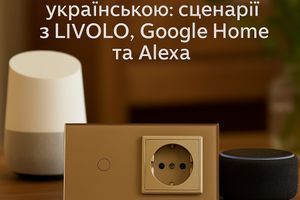
- Skills: additional “mini-plugins” that expand functionality, such as controlling Livolo devices.
- Routines: automation scenarios—e.g., “Good morning” can turn on lights, open curtains, start the coffee maker, and read the weather forecast.
- Voice answering and auto-reply: Alexa can answer calls and read messages aloud.
Just imagine—you're waking up, and your smart assistant is already making your coffee.
Advantages of the Assistant
This smart home control system has numerous benefits, including:
- Wide device compatibility with many brands, including Livolo;
- A well-developed Amazon ecosystem with regular updates;
- A large selection of Skills—over 100,000;
- Reliable integration with Livolo devices via the app.
However, there are specific limitations to be aware of before choosing this voice assistant. Users in Ukraine may face setup difficulties due to the lack of official support (requiring region changes or VPN). English is the primary language; others are partially supported or require workarounds.
Google Assistant: Features, Advantages, Limitations
Google Assistant is a smart assistant developed by Google, integrated into Android devices, Google Nest, Google Home, and other products. With Google's search capabilities and deep integration with services like Gmail, YouTube, and Google Calendar, it provides comprehensive daily support.
Google Assistant’s Features
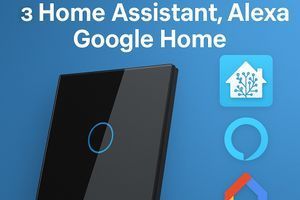
The Google Home app allows easy setup of devices and automation. It supports various smart home platforms, including Tuya, Smart Life, and Home Assistant, along with functions like search, navigation, translation, messaging, reminders, and calendar events.
Automation routines are available: one command triggers multiple actions (e.g., “Okay Google, I’m leaving” turns off the lights, locks the door, and activates the alarm).
Advantages of the Smart System
Google Assistant’s smart home platform offers many strong points that make it a compelling choice:
- Partial support for the Ukrainian language is available;
- Deep integration with Android devices;
- Easy device setup via Google Home;
- Context-aware voice recognition—Google Assistant understands natural language better.
As for drawbacks, there are few, but notable ones include a limited number of available extensions and partial device compatibility (you should verify compatibility before buying).
Comparison: Alexa vs Google Assistant
Let’s compare the two smart home voice assistants. Alexa is Amazon’s assistant, focused on the Echo ecosystem. It supports wide smart home integration, numerous Skills, and strong Amazon service integration. It has an open platform for third-party developers but lacks Ukrainian localization.
Google Assistant, by contrast, is built into Android smartphones and Google Home devices. Its main advantages include deeper integration with Google services, more accurate language understanding, and broader language support, including Ukrainian.
In summary, Alexa is better suited for smart home control within the Amazon ecosystem, while Google Assistant excels at information search and mobile device interaction. Your choice should depend on your specific needs and preferences.
How to Connect Livolo Devices to a Voice Assistant
Livolo is a leading manufacturer of innovative smart devices and offers top-notch equipment for your smart home. To control your home by voice, it’s important to connect and configure all devices properly.
Livolo is a popular brand of smart switches, sockets, and controllers that work via Wi-Fi or Bluetooth. Modern models support compatibility with both Alexa and Google Assistant, though the setup process slightly differs.
Preparing the Device
Here’s how to add devices to the control app:
- Download the dedicated app;
- Connect the device to your home Wi-Fi network;
- Check that the device appears in the app.
Next, let’s configure voice assistant integration.
Integration with Alexa
Open the Amazon Alexa app. Go to the Skills section. Search for “Livolo Smart” or “Tuya Smart.” Enable the skill and log in to your account. Grant access and sync the devices. Name them for voice control. Done—your system is ready to use.
Integration with Google Assistant
Open the Google Home app. Tap “+”, then “Works with Google,” and search for “Tuya Smart” or “Smart Life.” Log in, add your devices, and assign them to rooms. Name them for voice control—for example, “Okay Google, turn on the kitchen light.” That’s it. Setup is simple and straightforward.
Voice Assistant Usage Scenarios
Let’s review the most common use cases for these assistants:
- Automated wake-up: lights, music, reminders, and weather at 7:00 AM daily.
- Night mode: turns off lights, locks doors, activates security cameras.
- AC control: via temperature sensors or commands.
- Voice search while cooking—e.g., for recipes, cooking times, and temperatures.
- Remote lighting control—if you forgot to turn off the lights, Alexa can do it for you.
- Motion response: lights turn on when movement is detected. Integration possible with robot vacuums, coffee makers, TVs.
Once you configure the necessary settings, you’ll no longer worry about whether you turned off the lights, locked the door, or activated the alarm. Your smart assistant takes care of it all and makes your life more convenient.
Security and Privacy
Amazon and Google take security seriously. Voice data is encrypted, devices are authenticated, and users have privacy controls. Recommended practices:
- Regularly clear voice command history.
- Turn off microphones when not in use.
- Check which apps have access to your devices.
- Change passwords and update firmware.
- Use a segmented Wi-Fi network for IoT devices.
These steps will help prevent unauthorized access and enhance system security.
Common Issues and Troubleshooting
No system is perfect. Here are the most common problems:
- Device won't connect: check your network and model compatibility, reset settings.
- Response delay: possibly due to weak Wi-Fi or server issues.
- Voice command not recognized: check language, device names, and pronunciation clarity.
- Automation not working: check logic, permissions, and sync status.
Voice assistants like Alexa and Google Assistant aren’t just trendy gadgets—they’re powerful tools for building a modern smart home. When choosing a voice assistant, consider your specific needs, preferred language, and device types to create an intelligent, secure, and comfortable living environment.